

Project, Tracker, Issue : key concepts
Tuleap projects are more than Jira projects
Jira vs Tuleap. In Jira, a project is a collection of issues. A sum of stories, tasks, bugs. They can be viewed in the form of a board or charts.
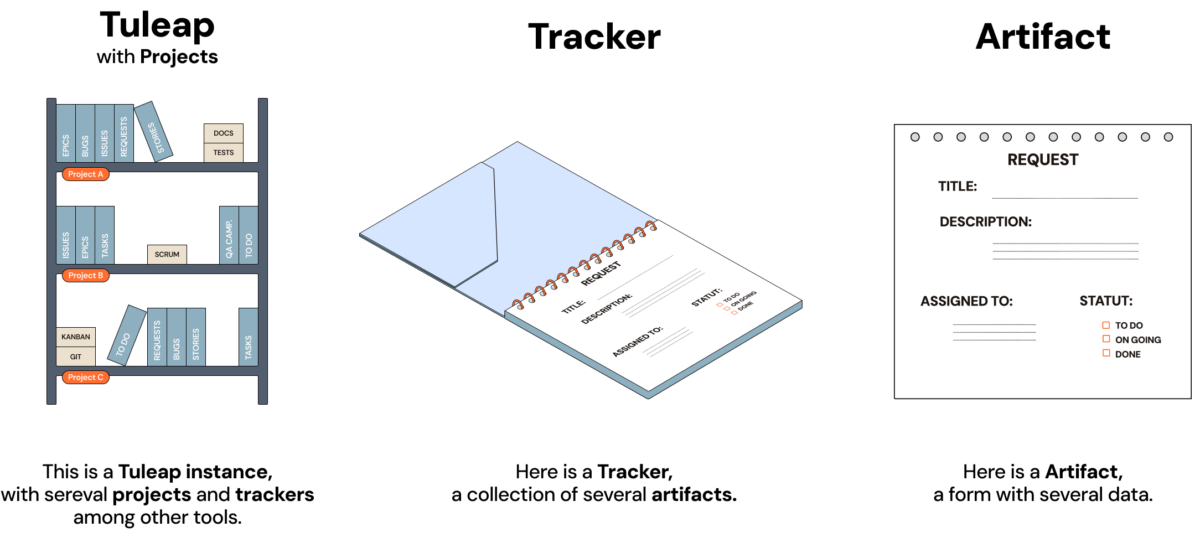
In Tuleap, a project is a workspace that hosts team members and tools. Among a panel of tools, there is Tuleap Tracker, that store a collection of issues (or artifacts).
Jira issues = Tuleap artifacts
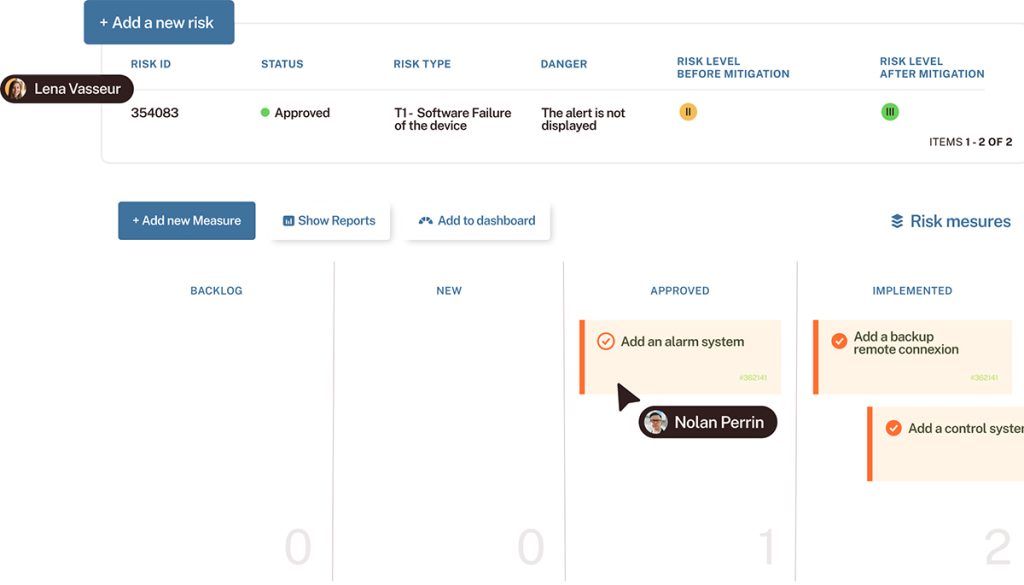
Artifacts in Tuleap are the equivalent of Issues in Jira. Both are one work item, a task, an incident, a story…to be short any entity you would like to manage and track. In some things, they are the same: they look like a form, include information. They are created by someone, assigned to a team member…and move through statuses to completion.
The difference is in the tools themselves : Tuleap Trackers and Jira works differently and are not flexible the same way.
Jira issue types = Tuleap Trackers
Jira issue types distinguish different types of work in unique ways. Jira provide one issue tracking system that mix all issues whatever they are.
In Tuleap, one issue type is store and managed in one single tracker. Each tracker has its specific settings and automation rules. This enables more customization, for each type of issue.
You can learn more on the key concepts of Tuleap Tracker, the unique open source issue tracker is the dedicated article.
Difference of workflow management and flexibility
The module of issue tracking in Tuleap offer a very large range of settings, automation and adaptations. With Tuleap, workflow management is “haute couture”.
In Jira, you have to configure your project to either Scrum or Kanban methodology. Within Tuleap, you can select a ready-to-use tracker configuration to get started faster, but you can choose no configuration and create it on the fly, because the Tuleap tool naturally supports the way your team works. If you have a very specific approach with a home-made workflow, Tuleap Trackers are flexible enough to adapt to your team’s needs.
In Tuleap, trackers’ configuration can be done at two levels:
- at the platform level, by the global IT administrator, for building ready-to-use tracker templates,
- at the project workspace level, by the project leader, to fine-tuned configuration and make them perfectly suit team’s jargon, users groups and activities’s workflow.
Tuleap is a top alternative to Jira, and even more. Learn more about Tuleap Tracker capabilities, the Tracking System designed to adapt to teams.